

How to Use Chat GPT?
ChatGPT has been around for three years, but many still use it like a basic search engine. While you can't always trust its responses without independent verification, it's still useful for a variety of tasks. It can often help you finish complex projects, create images and run numbers. And, like with most forms of generative AI, the quality of what you get often depends on your prompt.
It helps to know the basics of how ChatGPT works so you can navigate the growing ecosystem with confidence. Think of this as your crash course in the chatbot. We'll walk through what it is, how to use it and the essentials you need to know if you're just getting started.With that in mind, here's your ChatGPT 101 class. (Disclosure: Ziff Davis, CNET's parent company, in 2025 filed a lawsuit against OpenAI, alleging it infringed Ziff Davis copyrights in training and operating its AI systems.)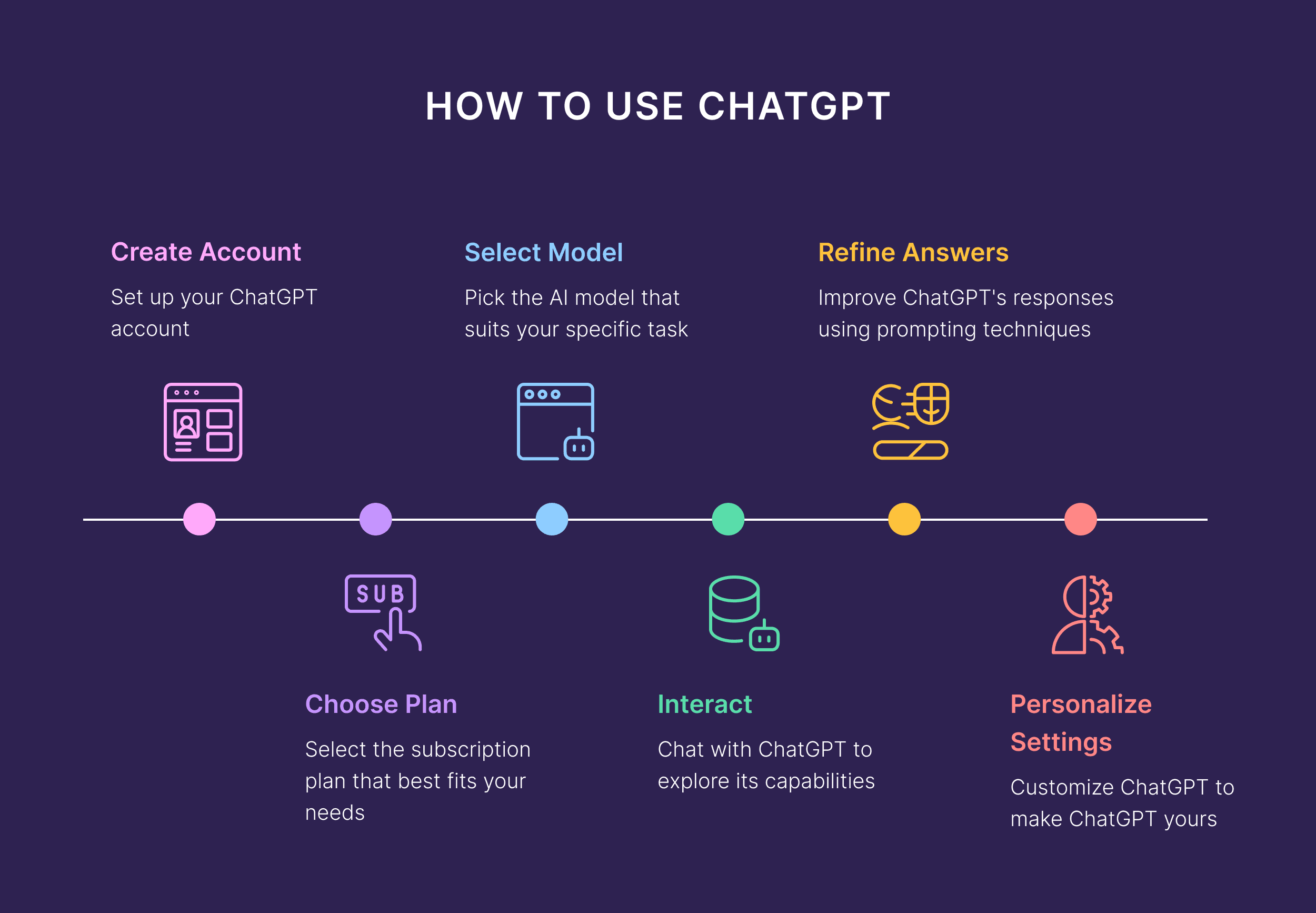
What can ChatGPT do for you? A lot
ChatGPT can answer your questions, summarize text, write new content, code and translate languages. Depending on what version you're using, it can either browse the internet or generate information up to its last training model date.
AI Atlas art badge tag
It's not magic, it's math: The results are based on the large language model's predictions and past information, making it prone to hallucinations, errors and biases.Keep a balanced approach when using tools like ChatGPT. AI, like most cutting-edge tech, is neither all good nor all bad. Avoid being too dogmatic on either side.I've tried using ChatGPT for everything from work-related tasks like creating a resume and a cover letter, looking for a dream job and negotiating a raise, to personal things like saving time and being more productive, finding the best deals and coupons while shopping online and even creating recipes from my leftovers.
First: Get set up with ChatGPT
You can use ChatGPT as a search engine, much like Google's home page. Go to chatgpt.com or download the ChatGPT app on Apple's App Store or on the Google Play Store.
Open the app or website, and type in your question or prompt. You can use the voice function, attach files and even browse trending topics under Search.For more advanced and personalized features, it's best to create an account and log in. ChatGPT learns more about you from your search history, and you can customize its responses. To create an account, click on the Sign Up button in the top right-hand corner. Choose between a free or premium membership ($20 a month). In many instances, the free version is fine.For quick personal searches, you might want to use the app. For work, the desktop version is probably easier. And if you're using the voice button instead of typing your prompt, the mobile app is best.
Second: Get comfortable with ChatGPT
There's no one "right" way to use ChatGPT. The only wrong way to use it is to rely solely on ChatGPT and outsource your critical thinking to it. Use ChatGPT and Google, and always fact-check everything they say. Click on the sources of information that Google and ChatGPT are drawing from. You can't simply trust the info AI gives you -- it may be hallucinating, or drawing the wrong conclusions from doubtful source information.It's also helpful to come to AI tools with your intention in mind. For example, you could use ChatGPT as a thinking partner or a research aid. Give it a "job" and build it into your process, rather than replacing all your research.
What can you ask ChatGPT?
You can ask ChatGPT almost anything -- just avoid ever giving it any personal or sensitive information, such as your credit card number, SSN or any personally identifying information, in case of data breaches. For whatever you're asking ChatGPT, the more context you give, the better. You only get out what you put in, so focus on providing as much information as possible in your first prompt.Your prompt will depend on whether you're asking a question, summarizing text, brainstorming, getting "advice," analyzing images, sourcing code or generating content. If you're not sure where to start, here are a couple of things I've asked ChatGPT to help me with. Let's compare my two search intentions:
Advice-related requests
I'm trying to get pregnant and want to know the ideal diet for my situation.
Example prompt: "I'm a 36-year-old woman getting ready to start IVF. I have no fertility issues, but my AMH is on the lower end. Provide a suggested diet to follow in the lead-up to my egg retrieval and transfer."
It will give you a lot of information. Most of it won't be personalized to you, so think of it as a conversation where each follow-up prompt gets you closer to customized advice. You can see an example of this exact advice-related prompt here, and all the follow-up questions I had to ask to drill down to get helpful information.
Just remember: If you're asking for health and wellness information, always double-check with a doctor.
Data-related requests
Say you're a small business owner and want to reduce your overhead, so you input your expenses spreadsheet into ChatGPT for advice.
You could click on the Analyze data button, and it will generate prompts. Pick the most appropriate, or type in after "help me…"
Example prompt: "Help me save money on my expenses. Attached is my expenses list for last year."
Again, double-check every number the AI tool returns.
Try a ChatGPT sampler
If you just want to play around with the tool before using it to ask specific questions, you can use the prompts that ChatGPT automatically generates.
If you click on Make a plan, you can explore prompts like "make a plan to get a promotion," "make a plan to buy a new car," "make a plan of meals for the week," and "make a plan for a weekend in New York." For the meal plan suggestion, for instance, give ChatGPT a quick input of ing redients in the fridge and your current diet focus, and it will generate a meal plan for the week. You can be as custom as uploading a photo of what's in your fridge and asking for a dinner suggestion, or as straightforward as asking ChatGPT for some good restaurant options in New York. This meal-planning example really shows how ChatGPT and other AI tools are a "choose your own adventure" and a handy search partner for anything you want to do with them.Just remember to maintain a balanced view of these tools. And always double-check its advice.
ChatGPT Has Multiple Personalities. Here's How to Choose the Best One for Your Questions
Did you know you can choose from seven different "personalities" that change the way ChatGPT responds? I spoke to OpenAI about it.
ChatGPT can be a personal and professional advisor (with reasonable limits), but it doesn't always give you advice the way you like. We're all drawn to different types of mentors and experts, and we each have our communication preferences. It comes down to our personalities and proclivities.I appreciate honest and candid communication delivered kindly. I'm also super sensitive, and I love words of affirmation. But I find that when I talk to ChatGPT, I have to preface my prompts with the directive to "cut the fluff and give it to me straight." I don't want a chatbot pretending to be a friend. That's tricky psychological territory. As a reminder, here's how to think about chatbots and safety. This is a good guide on how to use ChatGPT and hacks to get the best answers. I covered tips such as giving it a role, asking it to play devil's advocate and using trigger words. AI models are always evolving, so pay attention to new features in updates.
While all the focus is on the prompting, the personalization settings in ChatGPT are where you can influence the outputs. Let me show you how.
(Disclosure: Ziff Davis, CNET's parent company, filed a lawsuit in 2025 against OpenAI, alleging it infringed Ziff Davis copyrights in training and operating its AI systems.)
Personalize your ChatGPT experience
A personality is the style and tone ChatGPT uses when responding. It doesn't change what ChatGPT can do, just how it talks to you. The current model comes with seven personalities in addition to the default: professional, friendly, candid, quirky, efficient, nerdy and cynical. These features were rolled out in November 2025 and are available on the free plan.
Insider tips from OpenAI
I had the chance to speak with OpenAI's Edie Campbell-Urban, who works on the communications team for ChatGPT. She shared the following insider tips:
I never thought to adjust settings based on my search intention. It makes sense, because I'd prefer a professional tone for work-related queries and a more candid and direct tone for fertility conversations.
How does ChatGPT's personality change things?
As an example, here are two different answers to the same question using different settings:
Discussing further testing and next steps after an early pregnancy loss
Friendly personality response: Although this was the friendly setting, it read the room (probably referring to past requests I've made about it being candid) and wasn't too over the top. This was the language it used.
Like it or not, AI is everywhere. If ChatGPT isn't the topic of conversation around you at work or at home, you're hearing about it in the news and through other companies. Though it's ubiquitous, however, it's important to remember that it isn't an all-knowing digital deity. It is, in fact, prone to offering misinformation and making mistakes. But that doesn't mean that you shouldn't skip using it at all.
You should play around with AI to see its possibilities and limits. Be curious, experimental and have fun with it. There are some things you definitely shouldn't use ChatGPT for, such as health diagnoses and legal decisions, but there are plenty of tasks and to-dos it's great for.
ChatGPT isn't alone out there. You can also use other chatbots for these tasks, like Google's Gemini, Anthropic's Claude and Perplexity. And because AI has the propensity to hallucinate answers, draw the wrong conclusions or make things up entirely, be sure to always double-check and use common sense whenever it gives you information.
Posted on 2026/03/09 09:26 AM