

How to Create Amazon Prime Video Account?
Key takeaways
- Anyone can join Prime for $14.99 per month or $139 per year if you pay annually.
- There are discounted options for young adults and qualifying government-assistance recipients.
- Benefits include delivery, entertainment, Prime-exclusive deals and savings, and more.
Prime takes the very best of what Amazon offers and gives members fast, free delivery, savings, convenience, and entertainment, all in one affordable membership.
Whether you love to shop, stream, or search for the best deals and discounts available, there are many benefits that make a Prime membership worthwhile.
Ready to start enjoying all of these benefits and more? Below you’ll find instructions on how to sign up for a Prime membership.
How to sign up for a Prime membership on a mobile browser

Are you on a smartphone and want to sign up for Prime? Follow these steps.
- Use your mobile browser and navigate to amazon.com/prime
- Before you sign up for Prime, you need an Amazon account. If you already have one, skip to step five.

- Select the “Create Account” option.
- Enter the requested information and tap “Continue.”
- Tap on the three-line menu button on the bottom right of the screen and tap “Try Prime.”
- Tap “Prime Free Trial” and follow the on-screen instructions to choose your membership and confirm your billing and shipping address.
- You’ll be automatically charged for Prime after the free trial period, cancel anytime.
- Download the Amazon app for an even better shopping experience.
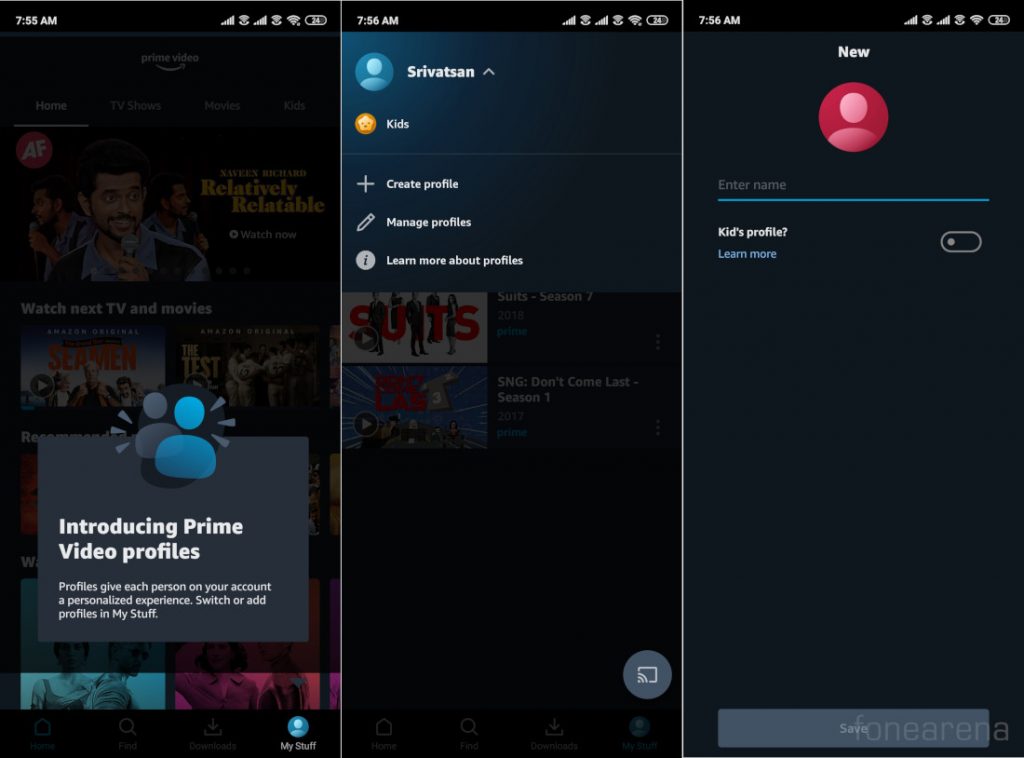
The Prime Video account holder can set an Account PIN to:
- Lock access to their profile.
- Bypass purchase and viewing restrictions in any profile on their account.
- Override all profile lock PINs.
- Restrict creation and removal of profiles.
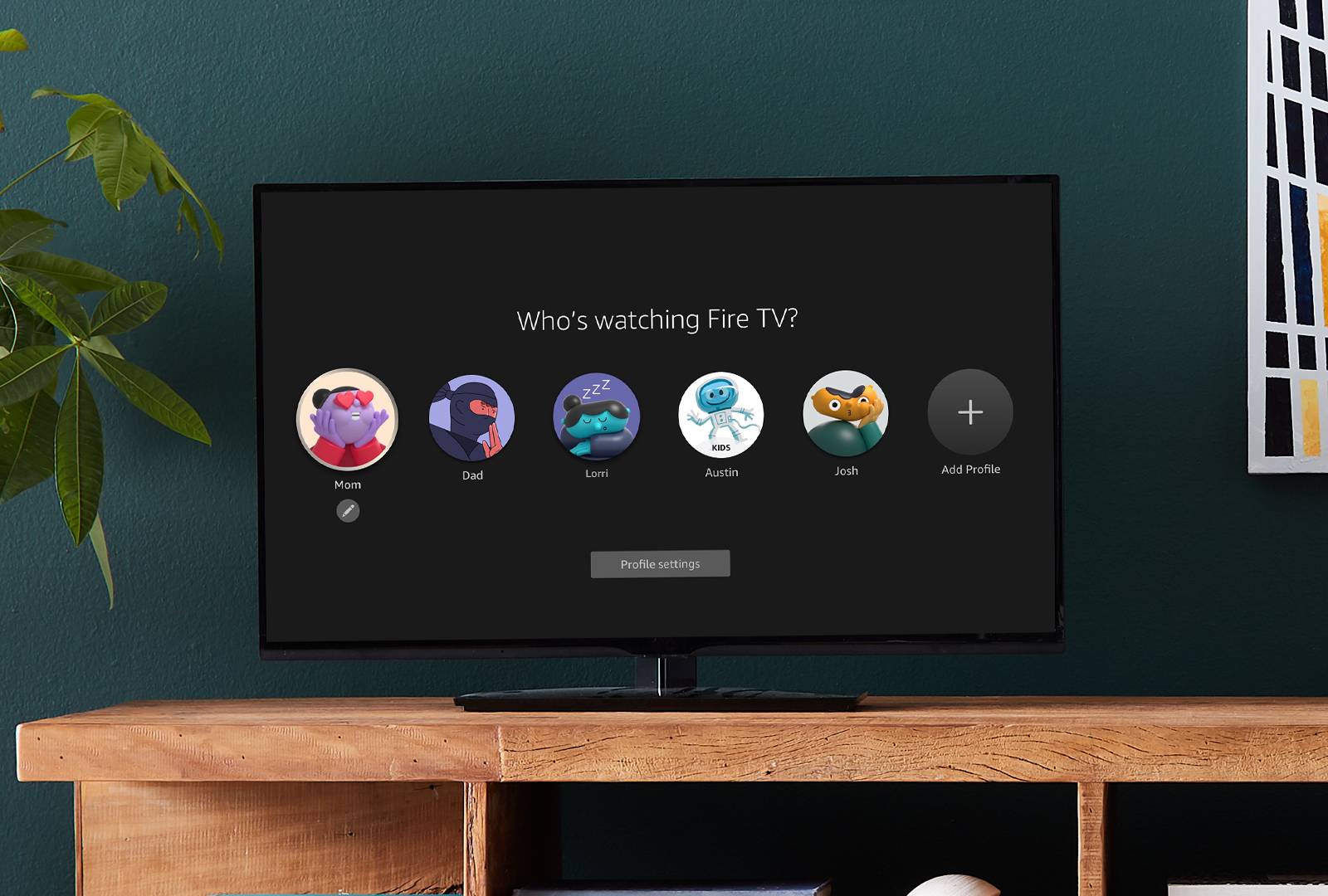
All profiles can be PIN locked. Profile PINs are never shared with the account holder, but the account holder can override all profile PINs with the Account PIN.
To set up a Prime Video Account PIN:
Go to the Your Profiles page.
- Select Edit profile and then select the account holder's profile.
- On the Edit profile page, select the Manage button next to Account PIN and locks.
- If prompted, enter your Amazon account details.
- On the Account PIN and locks page, select the Create button next to Prime Video Account PIN.
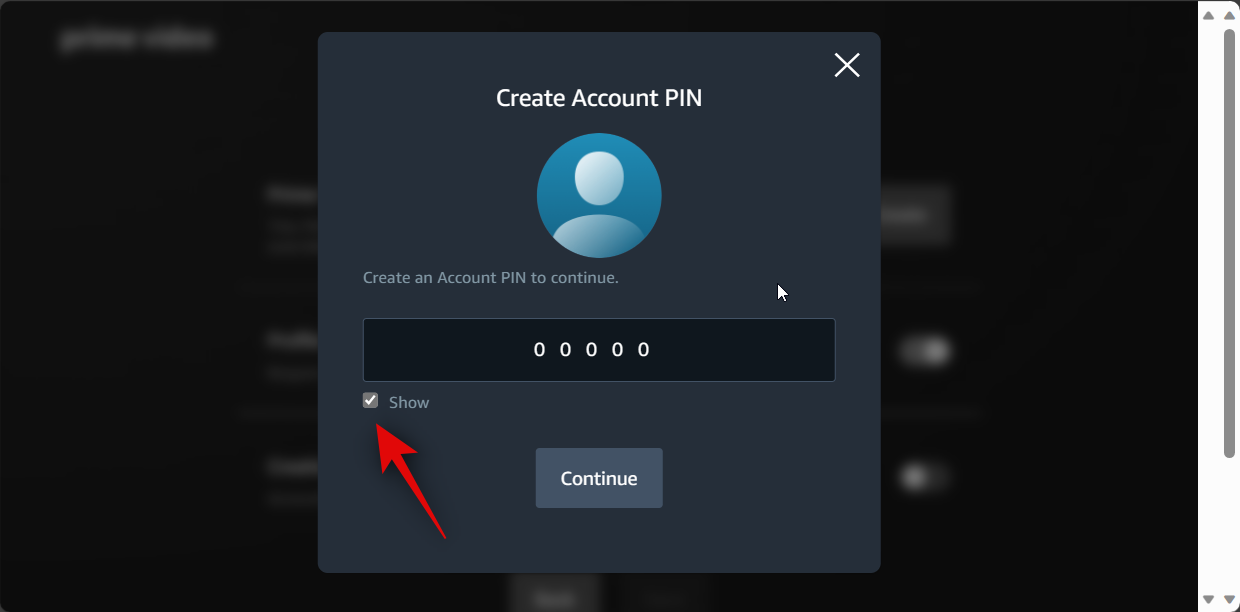
- On the Create Account PIN screen, enter a PIN and then select Continue.
 Note: Once set up, Prime Video Account and Profile PINs apply across all devices. Viewing Restrictions apply only to the device that they were set up for.
Note: If you linked accounts via the Amazon Family program, the Account PIN of the signed in primary Amazon Family account is used to bypass any restrictions.
How to sign up for a Prime membership on desktop
Do you prefer to use a computer to sign up for Prime? Thankfully, it’s easy to do so on the desktop too. Here’s how.
- Navigate to amazon.com/prime in your internet browser. If you are not already an Amazon customer, you will need to create an account.
- Hover over the “Hello, sign in. Accounts & lists” button on the top right of the screen. Tap the “Start Here” button next to the “New Customer?” prompt.
- Enter the requested information and tap the “Continue” button.
- When you’re signed up, once again hover over the “Hello [your name]” button. Click on the “Prime membership” button in the drop-down menu.
- Follow the on-screen prompts, choosing the type of Prime membership you want and entering your credit card information.
- Confirm your billing and shipping address.
- You’ll be automatically charged for your membership after the free trial period.
In the U.S., anyone can join Prime for $14.99 per month, or $139 per year if you pay annually. Amazon also offers additional, discounted membership options providing the exact same, valuable benefits of a regular Prime membership—including free delivery on more than 300 million items, exclusive deals, and savings for eligible members—at only 50% of the cost.
Young adults (ages 18-24) and college students can try a discounted Prime membership with a six-month trial, then pay a discounted rate of $7.49 per month, or $69 per year. Qualifying government assistance recipients can try Prime Access for 30-days before paying $6.99 per month. For more information about Prime, including discounted memberships, visit aboutamazon.com/prime.
If at any point you decide Prime isn’t right for you, you can easily cancel your membership.
USA Amazon’s custom AI-powered Prime Insights take fans inside the game 19 holiday films on Prime Video for every mood Getting started with Alexa+: Alexa+ helps you shop smarter, saving you time and money on everyday items 4 ways Amazon is delivering for communities during the holidays and year-round.
Before you start
- Not all TVs, Blu-ray Disc players, or Home Theater systems have Internet capability. You can check if your unit is Internet-capable in your device specifications on our support website.
- You will need access to a Web browser on a computer or another Internet-capable device.
- The Prime Video app usually comes pre-installed on Sony TVs. However, the app can also be downloaded from the Google Play Store on an Android TV or Google TV.
- Only Android TV or Google TV can download apps. Other TVs does not have this apps pre-installed and it is not available for download.
- If you can't download Amazon Prime Video app on your TV, learn how to use streaming services (e.g. Amazon Prime Video) on non-Android TVs.
- The Prime Video app is available in over 200 countries and territories (as of November 2020), however, the availability of the app may vary depending on the country and the type of TV you have (Google / Android vs non-Android).
How to access the Amazon Prime Video app and register your device
- Using the supplied remote control, press the HOME or MENU button.
- Select Video, Application, My Apps or Apps, depending on your model.
- Select the Prime Video app.
- Select Sign In or Sign In and Start Watching.
- If presented with a QR code, you can scan the QR code using your smartphone camera. Otherwise, note the six-letter registration code that appears on the screen (e.g. KUNYJ7), as shown in the screenshot below and continue the steps. (You will need it in Step 8 to register your device to your Amazon account)
If the registration code box does not appear or not found in Amazon web site, go to www.amazon.com/gp/video/ontv/code to register.
- When registration is complete, you can enjoy the Prime Video streaming service..
- To manage the devices registered to your Amazon Prime Video account, log in to your Amazon Prime Video account on your computer or other Internet-enabled device and click Manage my device.
Posted on 2025/12/11 12:59 PM